Can AI generate a bedroom design from a rough sketch?

Vatsal Sanghvi
Feb 25, 2026
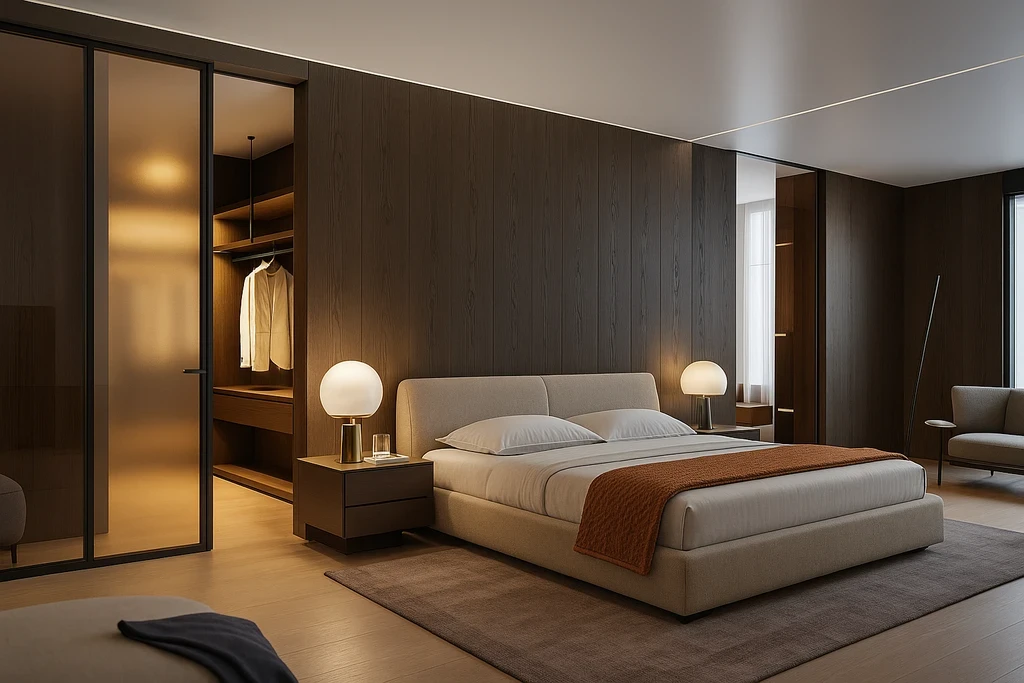
Converting a creative spark into a visual reality used to require professional drafting skills or complex software. Today, the question of whether AI can generate a bedroom design from a rough sketch is met with a definitive yes. This technology has bridged the gap between a quick drawing on a napkin and a high-fidelity 3D visualization, allowing homeowners and designers to see the potential of a space in seconds.
The process of transforming sketches into designs
The core technology behind this transformation involves computer vision and generative neural networks. When you provide a rough sketch, the AI analyzes the lines to identify structural boundaries such as walls, window placements, and door swings. It then interprets your shorthand for furniture—like a rectangle representing a bed or a square for a nightstand—and replaces those placeholders with realistic 3D models.
Home Design App simplifies this by acting as an ai interior design tool that recognizes spatial intent. It does not just "beautify" the drawing; it calculates depth and lighting based on the perspective provided in your sketch. This allows for a design bedroom with ai that feels grounded in the actual dimensions of your home.
What you need to provide for the best results
While the AI is capable of interpreting messy lines, the quality of the output is often tied to the clarity of the input. To get a functional ai bedroom design, your sketch should clearly define the perimeter of the room. Labeling specific areas or including a brief text description of the desired style helps the generator understand if you are aiming for a minimalist sanctuary or a maximalist suite.
The ai interior design generator works best when the sketch is photographed in good lighting with the paper lying flat. If the sketch includes basic architectural elements like closets or ensuite entryways, the tool can better integrate the bedroom with the rest of the floor plan. This level of detail ensures that the bedroom design ai reflects a room you can actually build or renovate.
Turning a drawing into a realistic layout
Once the sketch is uploaded, Home Design App processes the image through its rendering engine. The AI applies textures, materials, and lighting to the wireframe suggested by your drawing. For instance, if you sketched a large window on the left wall, the tool will simulate how natural light hits the bed and floor at different times of day.
This workflow is not limited to bedrooms. The same logic applies if you are looking to design bathroom with ai or create a design home office with ai. The tool maintains the structural integrity of your sketch while layering on professional aesthetic choices.
Realistic limitations of sketch to design AI
It is important to understand that AI interprets sketches rather than measuring them with laser precision. If your hand-drawn lines are significantly out of proportion—such as a bed that takes up 90 percent of the floor space—the AI may struggle to produce a realistic furniture arrangement.
Furthermore, AI cannot currently detect the specific load-bearing nature of walls from a drawing. While it is an excellent ai interior design app for visualization and aesthetic planning, the final designs should always be verified against physical measurements. Misconceptions often arise where users expect the AI to know the exact square footage of a room from a single photo of a drawing without any scale reference.
Step by step guide to designing from a sketch
To begin your project, draw your bedroom layout on a clean piece of white paper using a dark pen. Mark the locations of windows, doors, and your primary furniture pieces. Open Home Design App and select the sketch-to-render feature. Upload the photo of your drawing and choose your preferred interior style, such as modern, industrial, or Scandinavian.
The ai bedroom design app will then generate several variations of the space. You can iterate on these designs by adjusting your prompts or refining the sketch. This same process is highly effective for other areas of the house, whether you need a kitchen design ai or a living room design ai based on a quick floor plan draft.
Practical use cases for sketch visualization
This technology is particularly useful during the early stages of a renovation. Instead of trying to explain a vision to a contractor or partner, you can show them a rendered image. If you are moving into a new home that is currently empty, you can use ai virtual staging techniques starting from a simple sketch of where you want your furniture to go.
For those planning a complete home overhaul, the ability to design kitchen with ai or design living room with ai from a basic drawing allows for rapid prototyping of different layouts. It moves the design process away from expensive trial and error and toward a more informed, visual decision-making state.
Common misconceptions about AI design tools
Many people believe that AI replaces the need for a designer entirely or that it requires a digital drawing tablet to work. In reality, a bedroom design ai tool is a collaborative partner that works with the simplest of tools, including a pencil and paper. Another misconception is that the AI will only produce generic designs. By using a home office design ai or bedroom tool, you can influence the unique character of the room through your specific sketch annotations and style selections.
FAQs
Can I use a photo of a napkin sketch for AI bedroom design? Yes, as long as the lines are visible and the photo is clear, the AI can interpret the layout and generate a design.
Does the AI know the exact dimensions of my bedroom from a sketch? No, the AI interprets the relative proportions of the items in the drawing. For exact layouts, you should provide the tool with specific room dimensions if the option is available.
Can I change the furniture style after the AI generates the design? Yes, you can modify the style settings within the app to see how different aesthetics look on the same sketched footprint.
Will the AI include windows and doors if I draw them? Yes, the ai interior design tool is trained to recognize standard architectural symbols for windows and doors.
Is it possible to design other rooms like a bathroom from a sketch? Absolutely. You can use an ai bathroom design app to turn a rough plumbing layout into a fully rendered 3D bathroom.
Can AI help me visualize a home office in a bedroom corner? Yes, you can sketch the corner setup and use the ai home office design app features to see how it integrates into the bedroom.
Do I need to be good at drawing for this to work? No, the AI focuses on the spatial relationships of your lines rather than your artistic ability.
Can the AI generate a kitchen layout from a hand-drawn floor plan? Yes, the ai kitchen design app is specifically designed to handle the complexities of kitchen cabinetry and appliances from sketches.
How long does it take to turn a sketch into a design? The rendering process usually takes less than a minute once the sketch is uploaded to the ai interior design generator.
Can I use this for virtual staging? Yes, ai virtual staging tool features allow you to sketch furniture into an empty room photo or a blank floor plan to visualize a lived-in space.