How to use AI to design the perfect home office layout?

Vatsal Sanghvi
Feb 21, 2026
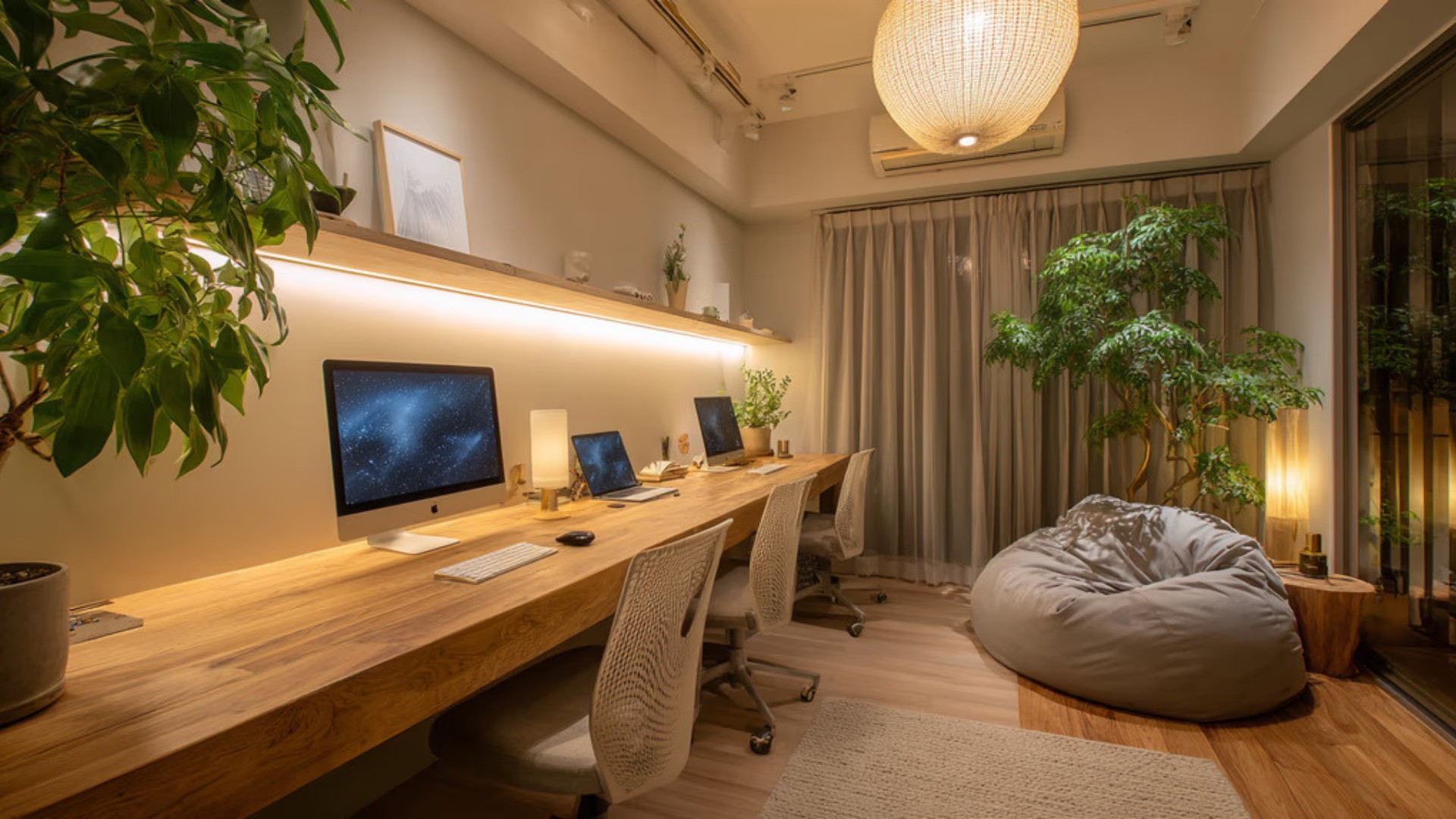
Most home offices end up being an afterthought. A spare desk shoved against a wall, a chair that hurts your back by noon, and cables everywhere. The space technically works, but it does not support the kind of focused, comfortable work most people need from it.
The challenge has always been visualization. It is hard to know whether a layout will actually work until you have already bought the furniture and moved everything around. AI changes that. You can now experiment with layouts, styles, and configurations before committing to anything, seeing realistic results from a photo of your actual room.
This guide covers how to approach home office design with AI in a practical, step-by-step way, what you need to provide for good results, where the technology genuinely helps, and where you should set realistic expectations.
Why Home Office Layout Deserves More Thought Than Most Rooms
A living room can look great even if the layout is slightly off. People sit down, relax, and do not spend eight hours in one position staring at the same wall. A home office is different. Layout decisions directly affect how you work, how easily you fatigue, and how professionally your background appears on video calls.
The positioning of your desk relative to windows determines whether you get glare or useful natural light. Where you place your chair influences posture and screen distance. Storage placement affects how often you get up and break your flow. These are functional considerations first, aesthetic ones second.
Most people underestimate how different a room can feel depending on where the desk faces. Facing a blank wall feels claustrophobic for some and helps focus for others. Facing a window creates brightness but can cause screen glare. These are things worth testing before you drill anything into a wall or buy a $600 desk that turns out to face the wrong direction.
AI home office design tools let you test these scenarios visually. You upload a photo of your space, describe or select what you want, and see the result rendered realistically. That is the core value.
What You Need Before You Start
Before using an AI tool to design your home office, it helps to have a few things clear in your mind. The more specific your inputs, the more useful the outputs will be.
A photo of the actual room. This is the most important input. Home Design App works by reading the existing architecture of your space, including walls, windows, doorways, and flooring. A clear, well-lit photo taken from a corner of the room typically captures the most useful depth and context. Avoid heavily cropped or blurry images since the AI relies on spatial cues in the photo to position furniture realistically.
A sense of your working style. Are you someone who needs multiple monitors and a large desk surface? Do you take frequent video calls and need a clean, professional background? Do you need bookshelves within arm's reach, or would you rather keep the space minimal? These practical needs should shape your design before any aesthetic decisions are made.
A rough idea of the style you want. Home Design App lets you select from different design aesthetics including Modern, Classic, Scandinavian, Industrial, and others. Knowing roughly which direction you lean saves time when generating designs and comparing results.
Your room dimensions, even approximately. While the app works from photos rather than floor plans, understanding your room's proportions helps you evaluate whether the furniture shown in a generated design is realistically sized for your space.
How Home Design App Processes Your Photo
When you upload a photo to our AI home office design tool, the AI analyzes the structural elements of the room. It identifies walls, ceiling height, floor type, existing furniture, and light sources. From this analysis, it builds an understanding of the space that allows it to generate redesigns that respect the room's physical constraints.
You then select the room type as a home office, choose your preferred style, and select a color palette. The AI generates a redesigned version of your room with furniture, layout, and decor that fits the aesthetic you specified, placed convincingly within your actual space.
This is different from a generic mockup. The output is based on your room's specific geometry, which makes the result far more useful for decision-making than a stock image of an attractive office that has nothing to do with your space.
One feature worth understanding is the object add and remove function. If a generated design includes a bookshelf you do not want, you can ask the AI to remove it. If you want to see what a standing desk would look like next to the window, you can add that in. This iterative editing process is where a lot of the practical value lives, because real design decisions are rarely one-and-done.
Step by Step: Designing Your Home Office with AI
Here is how to move through the process in a way that gets useful results.
Step 1: Take your photo. Stand in a corner of the room and photograph the full space. Try to capture as much of the room as possible in a single shot. Natural light is helpful, but avoid shooting directly into a bright window. Make sure the floor and ceiling edges are visible.
Step 2: Upload and select your room type. In Home Design App, upload your photo and select home office as the room type. This ensures the AI applies context appropriate to a workspace rather than defaulting to a general living space interpretation.
Step 3: Choose your style. This is where personal preference comes in. If you want a clean, minimal workspace with light wood tones and white walls, Scandinavian or Modern styles typically produce that result. If you want something warmer with richer materials, Classic or Traditional styles are worth exploring. You can generate multiple versions and compare.
Step 4: Generate and review. Look at the generated design critically from a functional standpoint first. Is the desk positioned to avoid window glare? Is there adequate storage visible? Does the chair placement leave room to move? Aesthetic appeal matters, but functionality should drive your evaluation at this stage.
Step 5: Iterate with object edits. Use the add and remove feature to test specific changes. Want to see if a floor lamp improves the corner near the bookshelf? Add one. Think the desk looks too large for the room? Ask the AI to replace it with a smaller option. Each iteration gives you more information about what will actually work.
Step 6: Finalize and use as a reference. Once you have a design you are happy with, use the output as a practical reference when purchasing furniture, painting walls, or arranging the physical space. Having a realistic visual to work from eliminates much of the guesswork.
Turning a Sketch Into a Realistic Office Design
Not everyone starts with an existing room photo. Some people are designing a home office in a spare room that is currently empty, or they have a rough idea they want to sketch out first.
Home Design App supports this. You can draw a rough sketch of your intended layout and upload it. The AI interprets your sketch and generates a hyper-realistic version of what that space could look like. This is particularly useful if you want to try an unusual furniture arrangement, like putting the desk in the center of the room rather than against a wall, without having to actually move anything.
Your sketch does not need to be detailed or artistically precise. Basic shapes representing the desk, chair, storage, and any other key elements give the AI enough to work from. The clearer your sketch in terms of proportions and relative positions, the more accurately the output will reflect your intention.
One realistic limitation to understand: if your sketch includes unusual spatial proportions or physically impractical arrangements, the AI will still generate an image, but the result may not accurately reflect how the space would actually feel at scale. AI rendering is a visualization tool, not a substitute for measuring your room and checking that your chosen furniture will physically fit.
Common Mistakes People Make When Designing a Home Office
Prioritizing aesthetics over ergonomics. A beautiful desk setup means little if you are uncomfortable after two hours. Use AI-generated designs as a starting point, but overlay your knowledge of ergonomic requirements. Your monitor should be at roughly eye level, your chair should support your lower back, and your keyboard should sit at a height that keeps your wrists neutral.
Ignoring lighting in the design phase. AI design tools can show you how a room looks under general lighting assumptions, but your actual space will have specific natural light conditions at specific times of day. Check the position of your desk relative to windows in the generated design and consider whether that will create glare on your screen during your working hours.
Not considering cable management. Generated designs naturally look clean because they are AI-rendered images. Real home offices involve power cables, monitor cables, and charging cords. When evaluating a generated layout, think about where the power outlets are in your actual room and whether the proposed desk placement would make cable management practical.
Generating only one version. Many people generate a single design and make decisions based on that alone. The value of AI design tools is in rapid iteration. Generate several versions with different styles and furniture configurations. Comparing them often reveals which elements you actually care about most.
Treating the output as an exact plan. AI-generated designs are visualization tools, not architectural drawings. Furniture in a generated image may not perfectly match the dimensions of real products you purchase. Use the output as directional guidance for style, layout logic, and color, then verify specifics before buying.
Layout Considerations Specific to Home Offices
Layout decisions for a home office differ from other rooms because function is the primary goal. Here are specific considerations worth thinking through during your design process.
Desk orientation and natural light. Placing your desk perpendicular to windows rather than facing them or having them directly behind you tends to minimize both glare and shadows. When using Home Design App, try generating designs with the desk in different orientations and evaluate which placement manages the window position most intelligently.
The video call background. If video calls are part of your work, your background matters. A well-designed wall with a bookshelf, a simple piece of art, or a clean surface makes a better impression than a door or a cluttered corner. When reviewing generated designs, look at what would appear directly behind your chair on camera.
Storage within reach. If you regularly reference physical materials, notebooks, or equipment, storage needs to be close to your working position. AI-generated designs sometimes place attractive shelving on walls that would require you to get up every time you need something. Evaluate storage placement functionally, not just visually.
Separation from living spaces. If your home office shares a room with another function, like a guest bedroom, layout decisions become more complex. The generated design should ideally create a visual and functional separation between the two zones. This is an area where iterating with the AI and trying different configurations pays off.
What the AI Does Well and Where Human Judgment Still Matters
AI home office design tools are genuinely useful for several things: rapid visualization of different styles, seeing how furniture might be arranged in your specific room, experimenting with color palettes, and getting a realistic sense of how an aesthetic direction will look before spending money on it.
Where human judgment is still essential is in the ergonomic layer, the acoustic layer (AI cannot help you realize your home office echoes badly), the actual measurement verification before purchasing furniture, and the specific personal preferences that are difficult to communicate through style selections alone.
The most effective approach is to use AI as your visualization and iteration engine while applying your own knowledge of how you work, what your body needs, and what your daily workflows require. The combination is more powerful than either approach on its own.
FAQ
Can AI really design a home office layout that works for my specific room?
Yes, with an important qualification. When you upload a photo of your actual room, Home Design App analyzes the spatial elements of that specific space and generates designs based on its real architecture. The results are grounded in your room rather than being generic templates. That said, the AI produces visual designs, not architectural plans. You still need to verify that furniture dimensions are practical for your space before making purchases.
Do I need to know anything about AI interior design app to get good results?
No. You need to provide a clear photo of your room, select a room type, and choose a style direction. The AI handles the design work. If you have specific preferences, you can use the object add and remove feature to adjust what the generated design includes. Design knowledge helps you evaluate outputs critically, but it is not required to use the tool.
What kind of photo gives the best results?
A well-lit photo taken from a corner of the room, capturing as much of the space as possible. Make sure both the floor and ceiling lines are visible, and avoid heavily cropped or blurry images. Photos taken during daylight without a flash tend to give the most accurate color rendering.
Can I use a sketch of my room instead of a photo?
Yes. Home Design App can take a hand-drawn sketch of your intended layout and generate a realistic design from it. Your sketch does not need to be detailed, but clearly indicating where furniture will go and roughly what shape and size the pieces are will produce more accurate results.
How many design variations should I generate before deciding on a layout?
There is no fixed number, but generating at least three to five variations with different style selections or furniture configurations is recommended. Comparing variations helps you identify which elements you genuinely prefer and which were just the most visually striking on first view. The ability to iterate quickly is one of the main advantages of using an AI tool.
Can AI help me design a home office in a small room?
Yes, and this is actually one of the more useful applications. Designing a functional workspace in a small room involves layout trade-offs that are difficult to visualize mentally. Seeing different configurations rendered realistically helps you understand which arrangement maximizes the usable space without making the room feel overcrowded.
Will the AI place furniture in ergonomically correct positions?
The AI generates designs based on aesthetic conventions and spatial logic, not ergonomic guidelines. Furniture is typically placed in ways that look realistic and proportionate, but you should always apply your own ergonomic knowledge when evaluating generated designs. Check that desk height, monitor position, and chair placement would realistically support comfortable extended work.
Can I use the generated design to plan an office in a room that is currently empty?
Yes. You can photograph an empty room and generate designs that show how a furnished home office would look in that space. You can also upload a sketch if the room does not yet exist or if you want to try a specific floor plan before photographing anything.
Is the AI home office design tool useful for people who work from home full time versus occasionally?
For full-time remote workers, the functional requirements are higher and the value of getting the layout right is greater, so the tool is particularly worth using carefully and iterating through multiple versions. For occasional users, the process is faster since the ergonomic and productivity requirements are less demanding, and a single well-chosen design is often sufficient.
What styles are available for home office design in Home Design App?
Home Design App offers a range of design aesthetics including Modern, Classic, Scandinavian, Industrial, and others, along with color palette selections. For home offices, Modern and Scandinavian styles tend to produce clean, focused workspaces with minimal visual clutter. Classic and Traditional styles produce warmer, more furnished looks. You can generate designs in multiple styles and compare them to find which direction fits your taste and working environment best.