How to use AI to test different living room paint color palettes?

Vatsal Sanghvi
Feb 4, 2026
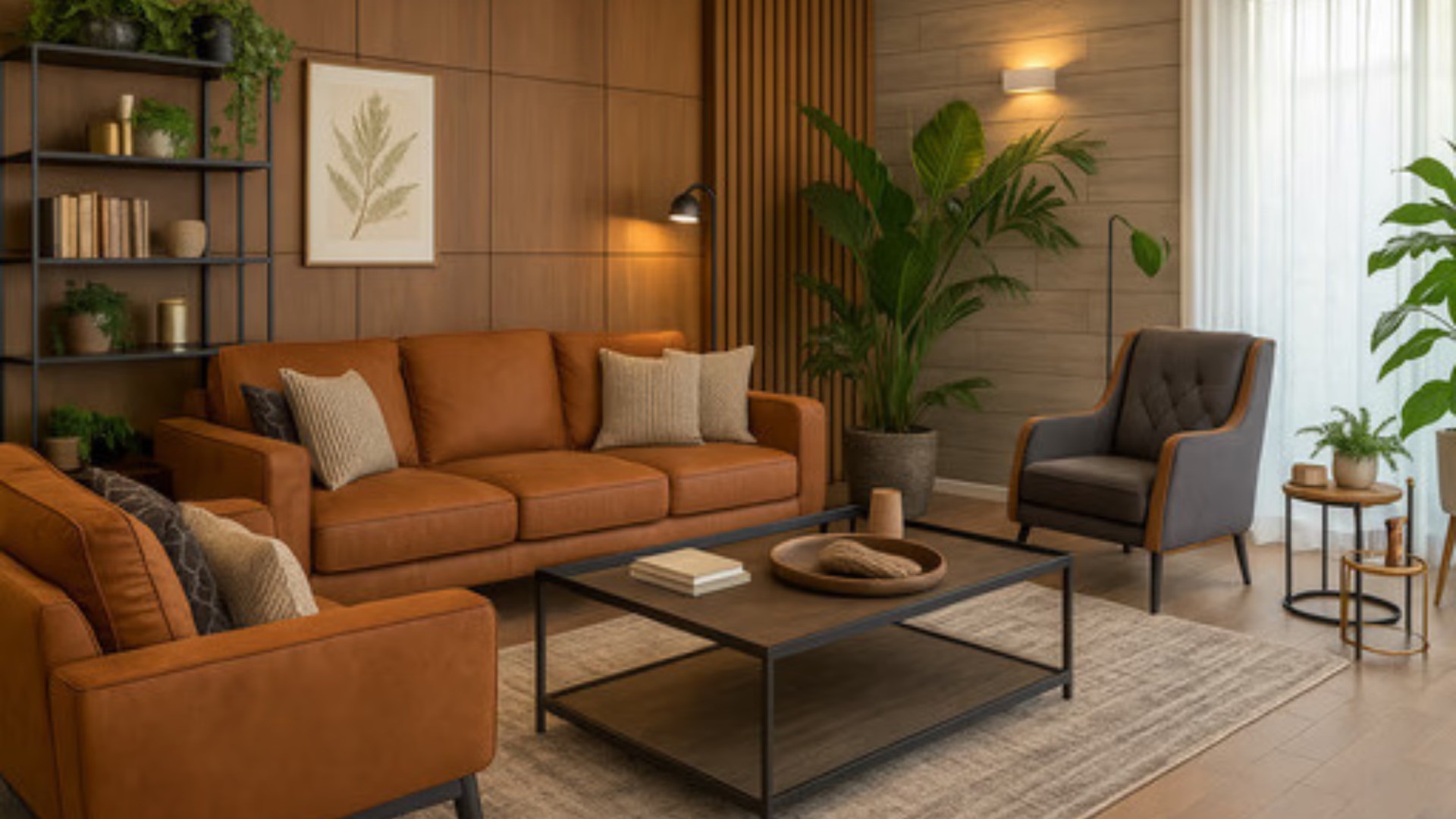
Choosing a paint color for your living room is one of those decisions that looks simple on paper and turns out to be anything but. You pick a swatch at the store, it looks perfect in that fluorescent light, and then you get home and realize it reads completely differently against your floors, your sofa, and the direction your windows face. That gap between what you imagine and what actually ends up on the wall is where most paint regrets are born.
AI has changed this process in a meaningful way. Instead of relying on 2-inch paint chips or trying to mentally project a color across an entire wall, you can now upload a photo of your actual living room and see how different palettes transform the whole space in seconds. The result is a realistic, full-room visualization that accounts for your existing furniture, your floor color, your ceiling height, and your lighting.
This guide explains how that process works, what you need to make it effective, and how to get results you can actually use when it comes time to pick up a brush.
Why Paint Color Is So Hard to Choose Without Visualization
Most people underestimate how much a paint color shifts once it goes on a wall. A soft sage green can look almost white under bright daylight and feel dark and heavy at night. A warm terracotta that looked bold on a swatch can look muted and dusty against beige furniture. These shifts happen because color is never experienced in isolation. It interacts with every other surface in the room.
Traditional swatches only show one color at a time. They do not show you how that color reads when it is reflected in your wood floors or positioned against your cream upholstery. They do not show you how it changes when afternoon light hits the west wall versus when the room is lit by lamps in the evening.
AI visualization solves this by treating the room as a complete system. When you upload a photo of your living room and select a color palette, the AI renders the color across every wall surface while keeping everything else in the image intact. Your sofa stays the same. Your rug stays the same. What changes is the wall color, and you get to see exactly how that reads in the context of your specific room.
This is a fundamentally different kind of information than a paint swatch gives you.
What Home Design App Actually Does with Color Palettes
Home Design App lets you visualize your living room in different color palettes as part of its full room transformation workflow. When you select a palette, the AI does not just swap wall colors mechanically. It applies the palette in a way that is consistent with the chosen design style, which means wall color, accent tones, and how light and shadow read across surfaces are all rendered together.
The app offers curated color schemes that are tied to different design aesthetics. So if you choose a Scandinavian style with a neutral palette, the result will reflect how those tones typically work in that kind of space, with lighter walls, natural wood tones, and a generally airy feel. If you select a Boho-chic palette, the color treatment will be richer and more layered. The palette and the style work together rather than independently.
This matters because it gives you a realistic picture of how a color direction will actually function in your room, not just what one wall color looks like in isolation.
The app also supports the restyle workflow, which is specifically designed for people who already have a furnished living room and want to see how a different color treatment would change its feel. You upload a photo of your actual space, select your room type as living room, choose a style and palette combination, and generate the transformation. The output shows your room with the new palette applied while preserving the layout and furniture you already have.
Step-by-Step: How to Test Paint Color Palettes with Home Design App
Here is how the process works in practice, from photo upload to finished visualization.
Step 1: Take a good photo of your living room. The quality of your photo affects the quality of your result. Aim for a shot taken in natural daylight if possible, with the room reasonably tidy. Include as much of the room in the frame as you can, particularly the walls you are considering painting. The AI uses the surfaces visible in your photo to apply the palette, so the more wall space is visible, the more informative the result will be.
The app accepts JPEG, PNG, and HEIC formats up to 15MB, so standard phone photos work well. You do not need professional photography equipment.
Step 2: Upload the photo and select Living Room as your room type. This tells the app what kind of space it is working with, which helps it apply the style and palette choices accurately. A living room gets treated differently than a kitchen or a bedroom because the furniture types, proportions, and typical color expectations differ.
Step 3: Choose a design style that reflects the palette direction you want to explore. The app offers more than 25 pre-defined style options including Modern, Scandinavian, Midcentury Modern, Boho-chic, Mediterranean, Industrial, Contemporary, Parisian, Minimalist, and others. If you are drawn to warm earthy tones, you might explore Boho-chic or Mediterranean. If you want a cooler, cleaner palette, Scandinavian or Minimalist might be the right starting point. If you are thinking about bold, saturated wall colors with contrast accents, Contemporary or Parisian styles tend to go there.
You can also use a custom style option if you have a specific direction in mind that does not map cleanly onto a preset.
Step 4: Select a color palette from the curated schemes available. The app presents color palettes that are matched to your chosen style. This is where the actual color testing happens. Pick the palette that most closely represents the direction you are considering and generate the transformation.
Step 5: Review the result and repeat with a different palette. This is the part that makes AI visualization genuinely useful for color decisions. You are not limited to one attempt. Generate the room in a warm, earthy palette, then switch to a cool, grey-based palette, then try something with a statement color on a single accent wall. Because each generation takes only seconds, you can build a genuine comparison set of your actual room under different color conditions.
How to Make Your Palette Testing More Useful
Getting good results from AI palette testing is partly about the tool and partly about how you approach the process.
Start by narrowing to a color temperature direction before you begin testing specific palettes. Warm-toned rooms (creams, terracottas, deep greens, golden yellows) feel different from cool-toned rooms (greys, blues, sage, off-whites with blue undertones) even at similar saturation levels. Knowing which temperature family you are drawn to will help you interpret your results more quickly.
Test with your actual furniture in the photo rather than an empty room. An empty room makes everything look possible. The point of AI visualization is to see how a palette works with the specific pieces you own. If your sofa is a mid-tone grey and your floors are warm oak, testing palettes against those existing elements gives you far more useful information than testing against a blank slate.
Generate at least three or four palette variations before you make any decisions. The contrast between options is often where the most useful insight comes from. You might think you want a soft blue-green wall until you see it against your furniture and realize a warm white reads better. That discovery is exactly what the process is for.
Pay attention to how the palette changes the perceived size and light of the room. Darker palettes can make large, bright rooms feel more intimate and grounded. Lighter palettes can make smaller or darker rooms feel more open. The AI rendering will reflect these perceptual effects, which gives you real information about how the color direction will work in your specific space.
What AI Color Palette Visualization Does Well
AI visualization is genuinely strong at giving you a realistic read of how a color direction changes the overall feel and tone of your living room. It shows you the relationship between your wall color and your existing furniture, floors, and decor at a room-wide scale that no swatch can replicate. It lets you test multiple directions quickly without any cost or commitment. And because it works from a photo of your actual room rather than a generic room template, the results are relevant to your specific situation.
For the exploratory phase of a paint decision, it removes a lot of the guesswork. You can arrive at a shortlist of two or three palette directions with real visual evidence behind them rather than just intuition.
What to Keep in Mind About Limitations
AI visualization is a powerful planning tool, but it is worth understanding what it does and does not do so you can use it effectively.
The rendering reflects how a palette typically reads in a given style context. It is not a pixel-perfect simulation of how a specific brand's paint color will look in your room under your exact lighting at every hour of the day. Factors like the direction your windows face, the type of light bulbs you use, and whether your room gets direct or indirect sunlight will all affect how a real paint color reads in ways that go beyond what a visualization can fully capture.
Use the AI results as directional guidance rather than a guarantee. If the visualization shows that a warm earthy palette works well in your space, that is a strong signal worth acting on. But it is still worth looking at large physical swatches of your final color choice on your actual walls before committing to a full room.
Photo quality also matters. A photo taken in a dark room at night or a very cluttered shot with obscured walls will produce less useful results than a clean, well-lit photo taken during the day. Getting a good source photo is worth the small amount of effort it takes.
Why Testing Palettes Before Painting Saves Time and Money
The average gallon of paint costs between $30 and $80, and a living room typically needs two to three gallons per coat, plus labor if you hire a painter. Testing three or four different color directions in the real world means buying samples, painting test patches, waiting for them to dry, and reassessing over multiple days. That adds up in both cost and time.
AI palette testing collapses that process into a single session. You can evaluate five or six different color directions in the time it used to take to drive to a paint store and back. The decisions you make after seeing AI visualizations of your actual room are more informed, which means you are less likely to commit to a color you will want to repaint six months later.
For a space like the living room that you will live with every day, that is a meaningful investment in getting it right the first time.
Thinking Beyond Wall Color
Color palette testing with AI is not limited to wall paint. When you select a palette in Home Design App, the transformation applies across the room's full color story, which includes how accent colors, cushion tones, and decor elements interact with the walls. This gives you a broader read on whether the palette direction you are exploring will work with the decorative elements you plan to use or already own.
If you are thinking about repainting and refreshing your living room at the same time, the AI living room design workflow within Home Design App can help you visualize both the color direction and the overall styling together. That makes it easier to see whether a soft sage palette works better with a contemporary furniture arrangement or a more Scandinavian one, rather than trying to evaluate color and layout separately.
Getting Started
The workflow is accessible to anyone, regardless of design experience. You do not need to know color theory or have any background in interior design to test different palettes. The app's structure guides you through each decision: room type, style, palette. The output is a realistic visualization of your room that you can compare across multiple options.
Home Design App is available on iOS and Android with a free plan that lets you try the core features before committing to a paid subscription. The paid plan removes watermarks and unlocks unlimited generations, which is useful if you want to run through a comprehensive comparison set of palette options.
If you are planning a living room repaint and want to make a more confident decision before a single tin is opened, starting with AI palette visualization is one of the most practical things you can do.
FAQ
Can AI show me what a specific paint color will look like in my living room?
AI tools like Home Design App can show you how a color palette direction reads in your actual room by applying the palette to a photo you upload. The visualization is highly useful for comparing directions and understanding how colors interact with your furniture, floors, and light. However, it is a rendering based on your photo and the chosen style, not a pixel-perfect simulation of a specific paint brand's color. Use it to narrow your options, then test a large physical swatch of your final color choice on your actual walls before committing.
Do I need design experience to test paint color palettes with AI?
No. Home Design App is designed to be used without any design background. You upload a photo, select your room type as living room, choose a style that reflects the feel you are going for, and pick a color palette. The app guides you through each step. You do not need to understand color theory or have any prior experience with AI interior design tools.
How many different color palettes can I test in one session?
On the paid plan, there is no limit to the number of generations you can run. You can test as many palette and style combinations as you like in a single session, which is one of the main advantages of AI visualization over traditional paint sampling. On the free plan, you can try the feature to get a sense of how it works before upgrading.
Will AI palette testing work for a room with an unusual layout or very low ceilings?
Yes. The AI works from whatever photo you upload, so an unusual layout, sloped ceiling, or compact space will be reflected in the result. In fact, testing palette options in a room with specific architectural constraints is one of the most useful applications because color choices that work in a standard room can behave very differently in smaller or more complex spaces.
Does the color palette I choose in the app correspond to actual paint colors I can buy?
The palettes in Home Design App are curated color schemes designed to show you how a color direction works in a given style. They are not tied to specific paint brand color codes. Once you have identified a palette direction you like from the visualization, you can take the visual result to a paint store to find the closest matching colors in the brands you prefer.
Can I test an accent wall color rather than painting all four walls?
AI palette visualization applies color across the walls visible in your photo as part of a full-room transformation. For a single accent wall concept, the style and palette choices can still give you a strong read on whether a bolder or contrasting color direction works in your space overall. As AI design tools continue to develop, more targeted editing capabilities are expanding, and Home Design App's object removal and addition features allow for incremental changes to specific elements as well.
How important is lighting when testing paint palettes with AI?
Lighting is one of the most significant factors in how paint colors actually read in a room. The AI visualization reflects the lighting conditions in your source photo. If your photo is taken during the day with natural light, the result will reflect daytime conditions. For the most useful comparison, take your source photo in the lighting conditions that represent how you most often use the room. Keep in mind that the actual paint color on your walls will also shift across different times of day and light sources in ways that go beyond what any single visualization can fully capture.
Is it worth testing paint palettes with AI if I already have a color in mind?
Absolutely. Even if you have a strong color preference going in, testing it alongside two or three other palette directions often reveals something useful. You might confirm that your first choice is right. Or you might discover that a slightly different tone works better with your existing furniture and floors. The process is fast enough that running a few alternatives alongside your preferred option costs very little time and can save you from a paint decision you would later want to change.
Can I use AI palette testing to help coordinate my living room color with adjacent rooms?
AI palette visualization works room by room from a photo of each space. If your living room opens into a dining area or hallway, you can test palette options in each room separately and compare the results side by side to see how they coordinate. This is a practical way to approach open-plan spaces where color continuity across connected areas matters.
How long does it take to generate a living room color palette visualization?
In Home Design App, the transformation typically generates within seconds once you have selected your style and palette. The upload and selection process takes a minute or two, and the result is ready almost immediately after you submit. From photo to visualization, most users can evaluate a palette option in under five minutes, which means testing five or six different directions in a single sitting is very realistic.